Canon iW360
Canon iW360
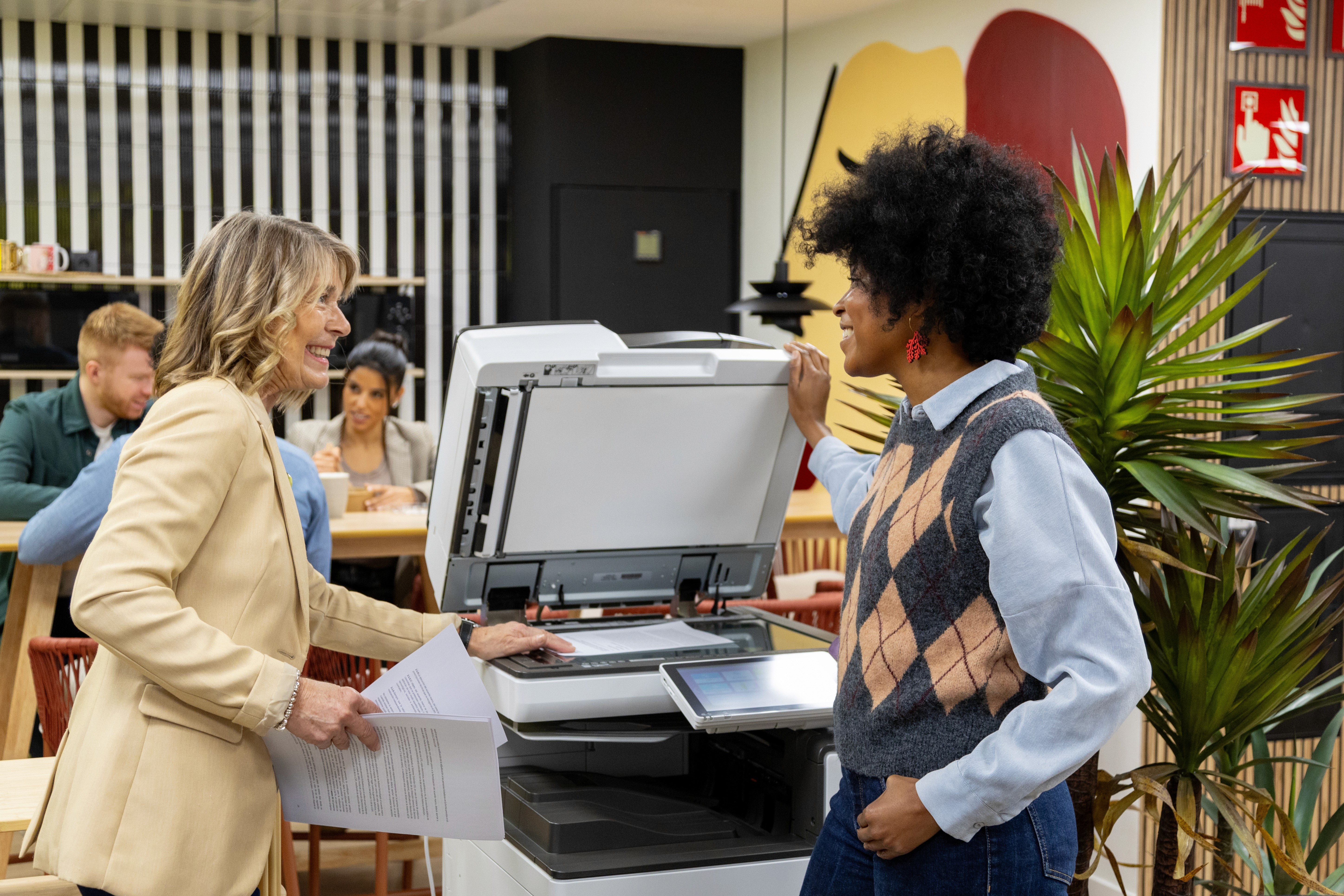
Working in harmony with Canon MFDs, iW360 is a powerful document handling and publishing suite that makes scanning, collating, publishing and storing documents simpler and faster than ever, transforming how your office works.
Working in harmony with Canon MFDs, iW360 is a powerful document handling and publishing suite that makes scanning, collating, publishing and storing documents simpler and faster than ever, transforming how your office works.
Handling hard copy & electronic documents is an integral part of office life
iW360 lets you combine documents and information from various sources and formats into a single editable file instantly. Simply drag and drop, iW360 takes care of the rest. A powerful WYSIWYG preview lets you create professional documents in seconds, complete with booklet printing, stapling, punching and folding options applied directly from an intuitive interface.
Powerful Publishing & Editing
Print settings can be saved and distributed as templates, saving time and effort across your team. Produce secured PDFs to keep information confidential. Flexible editing tools let you add comments, create consistent fonts, move text, coordinate colours, and add headers, footers and content pages, all from one interface.
Scan, Review & Collaborate
iW360 lets you scan documents and send a digital copy to a computer with a single button click. Create searchable PDFs directly from your device, mark up documents as part of a proofing process, and share with colleagues for review, offering similar functionality to Adobe Acrobat. Comments are embedded for viewing even by users without a licence.
Key Features
Everything iW360 brings to your document workflow.
Drag & Drop Document Combining
Instantly merge documents from multiple sources and formats into a single, polished, editable file, ready to publish or share.
Documents
Searchable PDF from Hard Copy
Scan any physical document and instantly create a fully searchable PDF, seamlessly incorporating hard copies into your digital workflow.
Search
Professional Finishing Options
Apply booklet printing, stapling, punching and folding from the intuitive interface. Save print settings as reusable templates for the whole team.
Publishing
Mark-up & Review Workflow
Mark up and annotate PDFs, share with colleagues for review, and embed comments viewable in Adobe Acrobat Reader, even without a licence.
Collaboration
Secured PDF Creation
Produce encrypted, secured PDF files directly from your MFD, ensuring sensitive documents stay confidential throughout your workflow.
Security
Flexible Document Editing
Add text, images and digital signatures. Adjust fonts, colours, headers and footers. Prepare any document for professional publishing in minutes.
Editing
Drag & Drop Document Combining
Instantly merge documents from multiple sources and formats into a single, polished, editable file, ready to publish or share.
Documents
Secured PDF Creation
Produce encrypted, secured PDF files directly from your MFD, ensuring sensitive documents stay confidential throughout your workflow.
Security
Mark-up & Review Workflow
Mark up and annotate PDFs, share with colleagues for review, and embed comments viewable in Adobe Acrobat Reader, even without a licence.
Collaboration
Professional Finishing Options
Apply booklet printing, stapling, punching and folding from the intuitive interface. Save print settings as reusable templates for the whole team.
Publishing
Searchable PDF from Hard Copy
Scan any physical document and instantly create a fully searchable PDF, seamlessly incorporating hard copies into your digital workflow.
Search
Flexible Document Editing
Add text, images and digital signatures. Adjust fonts, colours, headers and footers. Prepare any document for professional publishing in minutes.
Editing
Drag & Drop Document Combining
Instantly merge documents from multiple sources and formats into a single, polished, editable file, ready to publish or share.
Documents
Professional Finishing Options
Apply booklet printing, stapling, punching and folding from the intuitive interface. Save print settings as reusable templates for the whole team.
Publishing
Secured PDF Creation
Produce encrypted, secured PDF files directly from your MFD, ensuring sensitive documents stay confidential throughout your workflow.
Security
Searchable PDF from Hard Copy
Scan any physical document and instantly create a fully searchable PDF, seamlessly incorporating hard copies into your digital workflow.
Search
Mark-up & Review Workflow
Mark up and annotate PDFs, share with colleagues for review, and embed comments viewable in Adobe Acrobat Reader, even without a licence.
Collaboration
Flexible Document Editing
Add text, images and digital signatures. Adjust fonts, colours, headers and footers. Prepare any document for professional publishing in minutes.
Editing




We are proud to work with
We are proud to work with
Our other Services
Multifunctional Devices
We lease a huge range of printers, copiers and multifunctional devices to businesses throughout London.
Supplied, installed and maintained
Multifunctional Devices
We lease a huge range of printers, copiers and multifunctional devices to businesses throughout London.
Supplied, installed and maintained
Document Workflow
Automated processes, integrate automated document workflow management and optimise digital process.
Document Workflow
Automated processes, integrate automated document workflow management and optimise digital process.
Ready to find the Right solution for your business?
Whether you're in London or across the UK, our team will build a transparent package that works for you.
Ready to find the Right solution for your business?
Whether you're in London or across the UK, our team will build a transparent package that works for you.
Ready to find the Right solution for your business?
Have questions or need support? Our team is here to help you every step of the way.
Email:
Phone:
Canon iW360
Canon iW360
Working in harmony with Canon MFDs, iW360 is a powerful document handling and publishing suite that makes scanning, collating, publishing and storing documents simpler and faster than ever, transforming how your office works.
Working in harmony with Canon MFDs, iW360 is a powerful document handling and publishing suite that makes scanning, collating, publishing and storing documents simpler and faster than ever, transforming how your office works.
Handling hard copy & electronic documents is an integral part of office life
iW360 lets you combine documents and information from various sources and formats into a single editable file instantly. Simply drag and drop, iW360 takes care of the rest. A powerful WYSIWYG preview lets you create professional documents in seconds, complete with booklet printing, stapling, punching and folding options applied directly from an intuitive interface.
Powerful Publishing & Editing
Print settings can be saved and distributed as templates, saving time and effort across your team. Produce secured PDFs to keep information confidential. Flexible editing tools let you add comments, create consistent fonts, move text, coordinate colours, and add headers, footers and content pages, all from one interface.
Scan, Review & Collaborate
iW360 lets you scan documents and send a digital copy to a computer with a single button click. Create searchable PDFs directly from your device, mark up documents as part of a proofing process, and share with colleagues for review, offering similar functionality to Adobe Acrobat. Comments are embedded for viewing even by users without a licence.
Key Features
Everything iW360 brings to your document workflow.
Drag & Drop Document Combining
Instantly merge documents from multiple sources and formats into a single, polished, editable file, ready to publish or share.
Documents
Searchable PDF from Hard Copy
Scan any physical document and instantly create a fully searchable PDF, seamlessly incorporating hard copies into your digital workflow.
Search
Professional Finishing Options
Apply booklet printing, stapling, punching and folding from the intuitive interface. Save print settings as reusable templates for the whole team.
Publishing
Mark-up & Review Workflow
Mark up and annotate PDFs, share with colleagues for review, and embed comments viewable in Adobe Acrobat Reader, even without a licence.
Collaboration
Secured PDF Creation
Produce encrypted, secured PDF files directly from your MFD, ensuring sensitive documents stay confidential throughout your workflow.
Security
Flexible Document Editing
Add text, images and digital signatures. Adjust fonts, colours, headers and footers. Prepare any document for professional publishing in minutes.
Editing
Drag & Drop Document Combining
Instantly merge documents from multiple sources and formats into a single, polished, editable file, ready to publish or share.
Documents
Secured PDF Creation
Produce encrypted, secured PDF files directly from your MFD, ensuring sensitive documents stay confidential throughout your workflow.
Security
Mark-up & Review Workflow
Mark up and annotate PDFs, share with colleagues for review, and embed comments viewable in Adobe Acrobat Reader, even without a licence.
Collaboration
Professional Finishing Options
Apply booklet printing, stapling, punching and folding from the intuitive interface. Save print settings as reusable templates for the whole team.
Publishing
Searchable PDF from Hard Copy
Scan any physical document and instantly create a fully searchable PDF, seamlessly incorporating hard copies into your digital workflow.
Search
Flexible Document Editing
Add text, images and digital signatures. Adjust fonts, colours, headers and footers. Prepare any document for professional publishing in minutes.
Editing
Drag & Drop Document Combining
Instantly merge documents from multiple sources and formats into a single, polished, editable file, ready to publish or share.
Documents
Professional Finishing Options
Apply booklet printing, stapling, punching and folding from the intuitive interface. Save print settings as reusable templates for the whole team.
Publishing
Secured PDF Creation
Produce encrypted, secured PDF files directly from your MFD, ensuring sensitive documents stay confidential throughout your workflow.
Security
Searchable PDF from Hard Copy
Scan any physical document and instantly create a fully searchable PDF, seamlessly incorporating hard copies into your digital workflow.
Search
Mark-up & Review Workflow
Mark up and annotate PDFs, share with colleagues for review, and embed comments viewable in Adobe Acrobat Reader, even without a licence.
Collaboration
Flexible Document Editing
Add text, images and digital signatures. Adjust fonts, colours, headers and footers. Prepare any document for professional publishing in minutes.
Editing
We are proud to work with
We are proud to work with
Our other Services
Multifunctional Devices
We lease a huge range of printers, copiers and multifunctional devices to businesses throughout London.
Supplied, installed and maintained
Multifunctional Devices
We lease a huge range of printers, copiers and multifunctional devices to businesses throughout London.
Supplied, installed and maintained
Document Workflow
Automated processes, integrate automated document workflow management and optimise digital process.
Document Workflow
Automated processes, integrate automated document workflow management and optimise digital process.
Ready to find the Right solution for your business?
Whether you're in London or across the UK, our team will build a transparent package that works for you.
Ready to find the Right solution for your business?
Whether you're in London or across the UK, our team will build a transparent package that works for you.
Ready to find the Right solution for your business?
Have questions or need support? Our team is here to help you every step of the way.
Email:
Phone:
Canon iW360
Canon iW360
Working in harmony with Canon MFDs, iW360 is a powerful document handling and publishing suite that makes scanning, collating, publishing and storing documents simpler and faster than ever, transforming how your office works.
Working in harmony with Canon MFDs, iW360 is a powerful document handling and publishing suite that makes scanning, collating, publishing and storing documents simpler and faster than ever, transforming how your office works.
Handling hard copy & electronic documents is an integral part of office life
iW360 lets you combine documents and information from various sources and formats into a single editable file instantly. Simply drag and drop, iW360 takes care of the rest. A powerful WYSIWYG preview lets you create professional documents in seconds, complete with booklet printing, stapling, punching and folding options applied directly from an intuitive interface.
Powerful Publishing & Editing
Print settings can be saved and distributed as templates, saving time and effort across your team. Produce secured PDFs to keep information confidential. Flexible editing tools let you add comments, create consistent fonts, move text, coordinate colours, and add headers, footers and content pages, all from one interface.
Scan, Review & Collaborate
iW360 lets you scan documents and send a digital copy to a computer with a single button click. Create searchable PDFs directly from your device, mark up documents as part of a proofing process, and share with colleagues for review, offering similar functionality to Adobe Acrobat. Comments are embedded for viewing even by users without a licence.
Key Features
Everything iW360 brings to your document workflow.
Drag & Drop Document Combining
Instantly merge documents from multiple sources and formats into a single, polished, editable file, ready to publish or share.
Documents
Searchable PDF from Hard Copy
Scan any physical document and instantly create a fully searchable PDF, seamlessly incorporating hard copies into your digital workflow.
Search
Professional Finishing Options
Apply booklet printing, stapling, punching and folding from the intuitive interface. Save print settings as reusable templates for the whole team.
Publishing
Mark-up & Review Workflow
Mark up and annotate PDFs, share with colleagues for review, and embed comments viewable in Adobe Acrobat Reader, even without a licence.
Collaboration
Secured PDF Creation
Produce encrypted, secured PDF files directly from your MFD, ensuring sensitive documents stay confidential throughout your workflow.
Security
Flexible Document Editing
Add text, images and digital signatures. Adjust fonts, colours, headers and footers. Prepare any document for professional publishing in minutes.
Editing
Drag & Drop Document Combining
Instantly merge documents from multiple sources and formats into a single, polished, editable file, ready to publish or share.
Documents
Secured PDF Creation
Produce encrypted, secured PDF files directly from your MFD, ensuring sensitive documents stay confidential throughout your workflow.
Security
Mark-up & Review Workflow
Mark up and annotate PDFs, share with colleagues for review, and embed comments viewable in Adobe Acrobat Reader, even without a licence.
Collaboration
Professional Finishing Options
Apply booklet printing, stapling, punching and folding from the intuitive interface. Save print settings as reusable templates for the whole team.
Publishing
Searchable PDF from Hard Copy
Scan any physical document and instantly create a fully searchable PDF, seamlessly incorporating hard copies into your digital workflow.
Search
Flexible Document Editing
Add text, images and digital signatures. Adjust fonts, colours, headers and footers. Prepare any document for professional publishing in minutes.
Editing
Drag & Drop Document Combining
Instantly merge documents from multiple sources and formats into a single, polished, editable file, ready to publish or share.
Documents
Professional Finishing Options
Apply booklet printing, stapling, punching and folding from the intuitive interface. Save print settings as reusable templates for the whole team.
Publishing
Secured PDF Creation
Produce encrypted, secured PDF files directly from your MFD, ensuring sensitive documents stay confidential throughout your workflow.
Security
Searchable PDF from Hard Copy
Scan any physical document and instantly create a fully searchable PDF, seamlessly incorporating hard copies into your digital workflow.
Search
Mark-up & Review Workflow
Mark up and annotate PDFs, share with colleagues for review, and embed comments viewable in Adobe Acrobat Reader, even without a licence.
Collaboration
Flexible Document Editing
Add text, images and digital signatures. Adjust fonts, colours, headers and footers. Prepare any document for professional publishing in minutes.
Editing
We are proud to work with
We are proud to work with
Our other Services
Multifunctional Devices
We lease a huge range of printers, copiers and multifunctional devices to businesses throughout London.
Supplied, installed and maintained
Multifunctional Devices
We lease a huge range of printers, copiers and multifunctional devices to businesses throughout London.
Supplied, installed and maintained
Document Workflow
Automated processes, integrate automated document workflow management and optimise digital process.
Document Workflow
Automated processes, integrate automated document workflow management and optimise digital process.
Ready to find the Right solution for your business?
Whether you're in London or across the UK, our team will build a transparent package that works for you.
Ready to find the Right solution for your business?
Whether you're in London or across the UK, our team will build a transparent package that works for you.
Ready to find the Right solution for your business?
Have questions or need support? Our team is here to help you every step of the way.
Email:
Phone: